Sanity vs WordPress: which CMS is right for your small business?
WordPress powers a huge share of the web, but more businesses are switching to Sanity. Here's an honest comparison of editing, speed, security and cost to help you decide.
On this page
For years, building a business website meant one thing: WordPress. It still powers a huge share of the web. But more and more designers and small businesses are choosing Sanity instead.
If you're deciding between the two, this guide gives you an honest comparison, including where WordPress still wins.
The big difference in one sentence
WordPress is your website and your editor in one package. Sanity is only the editor, and your website is built separately.
That one difference explains almost everything else. WordPress controls how your content looks, through themes and plugins. Sanity just stores your content neatly, and a separate, modern website (built with something like Next.js or Astro) displays it.
Editing your content
WordPress
The WordPress editor is familiar to millions of people, and that's a real advantage. But editing often means wrestling with page builders, blocks that shift around and layouts that break when you paste in new text.
Sanity
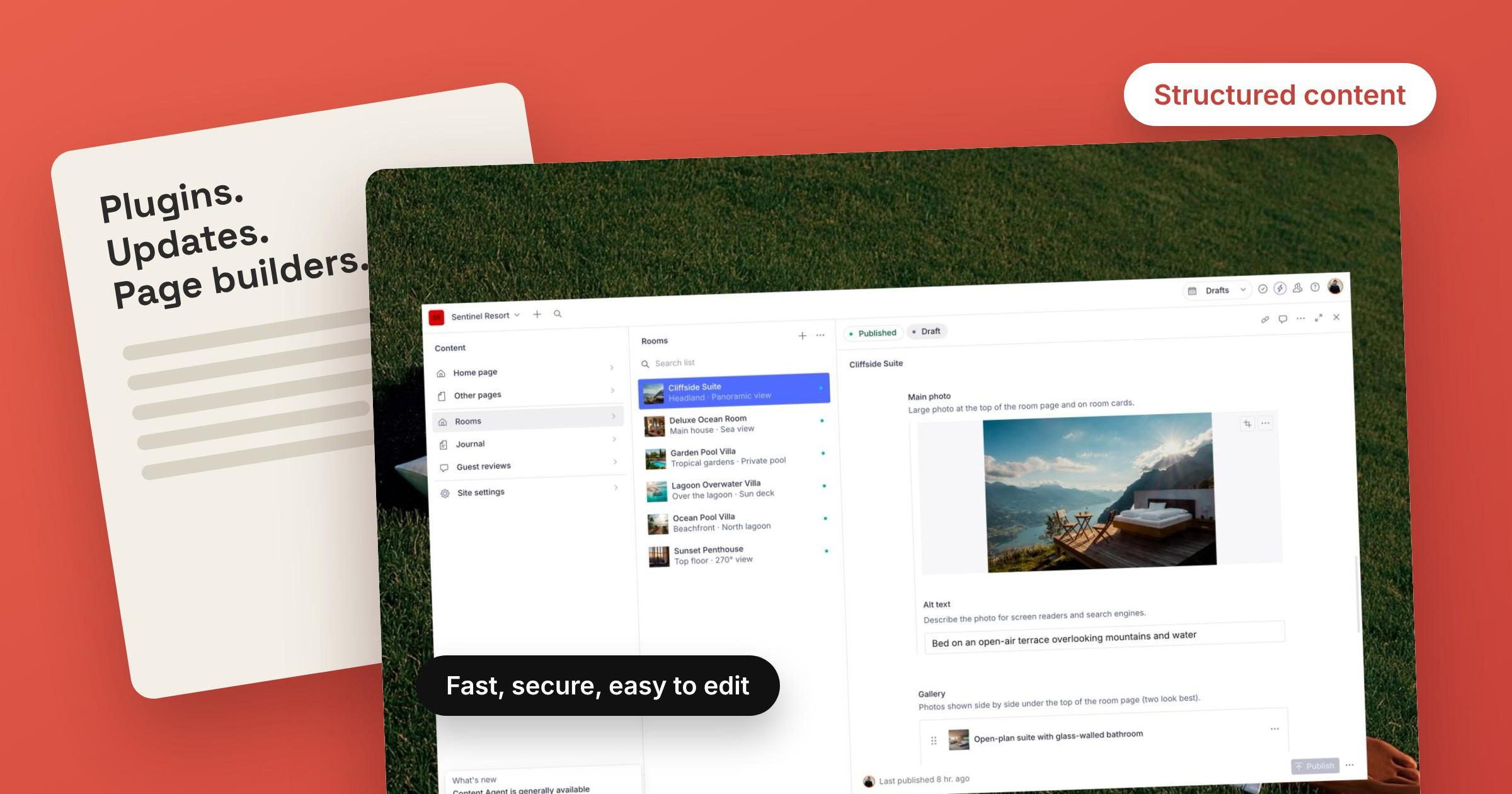
Sanity gives you clean, structured fields: a headline here, an image there, a list of features below. You fill in the content and the design takes care of itself. Changes appear in real time, several people can edit at once, and there's a full history of every change, so nothing is lost.
Winner: Sanity, especially if you hand the site over to a client who isn't technical.
Speed
Speed affects how long visitors stay and how well you rank on Google.
WordPress sites build each page on request and often load many plugins, so they can get slow without careful tuning and caching.
A Sanity site is usually paired with a modern framework that serves ready-made pages from a global network. Fast loading comes as standard rather than as an add-on.
Winner: Sanity.
Security and maintenance
WordPress is a popular target for hackers simply because it's everywhere. Keeping a WordPress site safe means regularly updating the core, the theme and every plugin, and hoping nothing breaks after an update.
With Sanity, your content lives on Sanity's own secure, hosted platform. Your public website has no admin login page for attackers to find, and there are no plugins to keep patching.
Winner: Sanity, by a clear margin. Less maintenance means more time running your business.
Cost
WordPress itself is free, but you'll usually pay for hosting, a premium theme and a handful of paid plugins, and those add up year after year.
Sanity has a generous free plan that covers most small business websites, and modern hosts like Vercel and Netlify offer free plans for smaller sites too. Many small businesses run a Sanity site for little or nothing beyond their domain name.
Winner: Sanity for most small sites, though costs depend on your traffic and team size.
Where WordPress still wins
To be fair, WordPress is the better choice if:
- You need a specific plugin that doesn't exist anywhere else.
- You want to change the whole design yourself, without a developer or template.
- Your team already knows WordPress well and is happy with it.
Which should you choose?
If you want a fast, secure website that's easy to edit and doesn't need constant updates, Sanity is the modern choice. If you depend on WordPress plugins or already have a team that lives in it, sticking with WordPress is perfectly reasonable.
The easiest way to try Sanity is to start with a ready-made template. Every RAYSO Studio template comes with a Sanity editor already set up, built on Next.js or Astro, so you get a professional design and a clean editing experience from day one. Browse the templates to find one for your business.