Influenza - Editorial News & Magazine Template for Next.js and Sanity
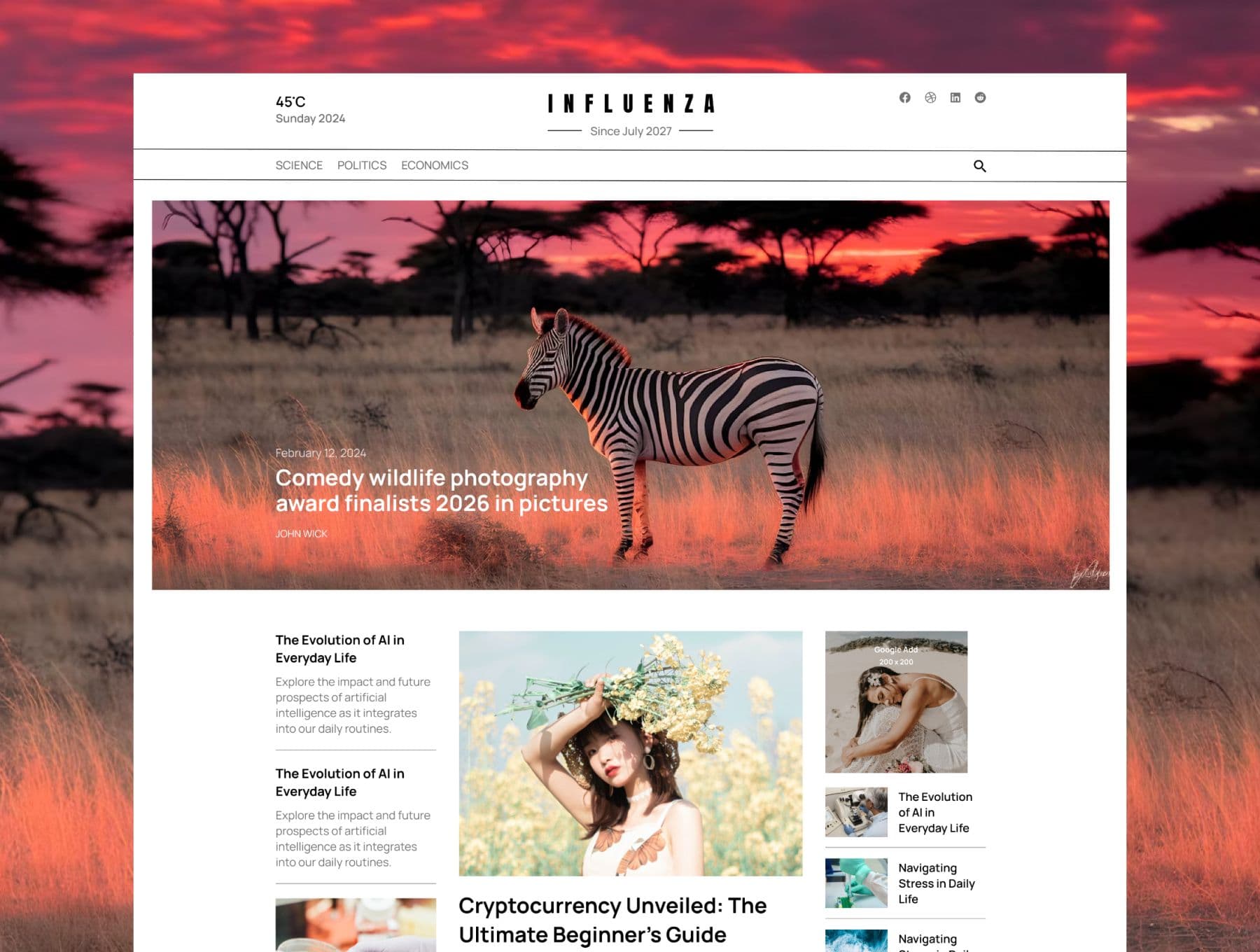
Editorial news and magazine template built with Next.js, Tailwind CSS and Sanity. Video hero slider, category pages, article layouts and a working contact form.
Single project license · lifetime updates
 All-Access
 Next.js App Router
 Sanity CMS
 Tailwind CSS
 TypeScript
Everything you need to rank and convert
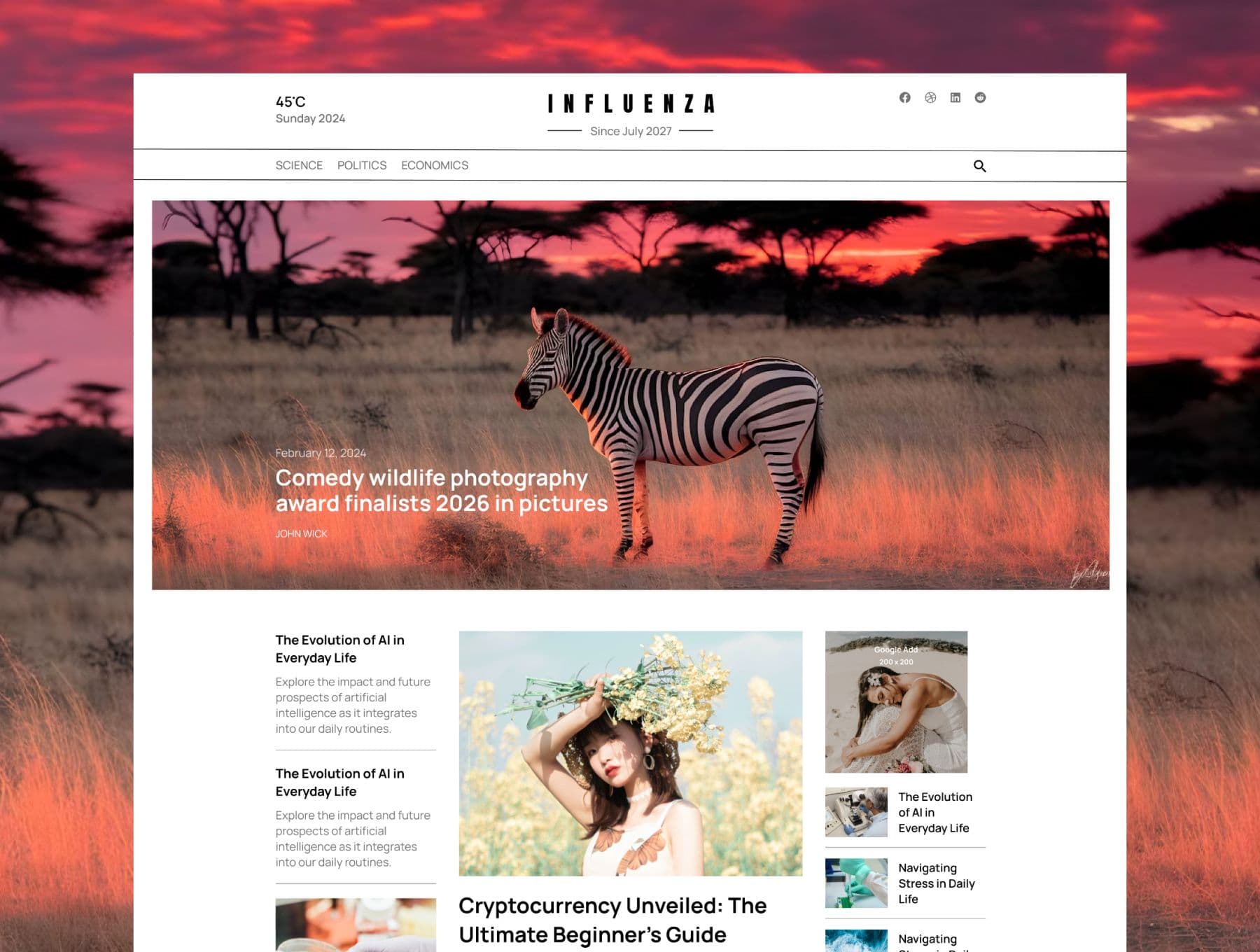
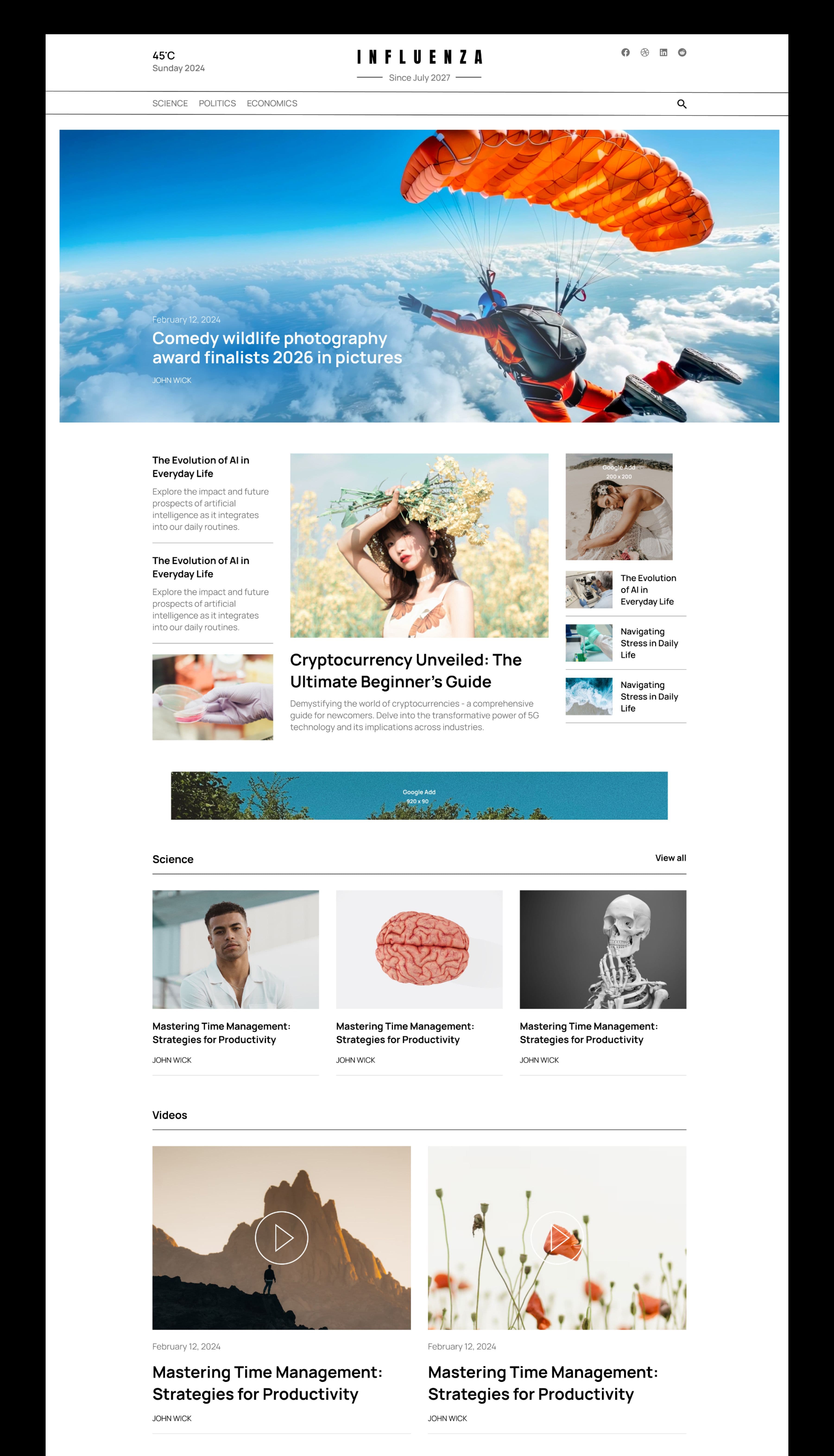
Feature up to six stories in a wide slider at the top of the home page. Each slide plays the post's video silently in a loop, or shows its image, with the date, headline and author on top. Swipe, drag or let it autoplay.
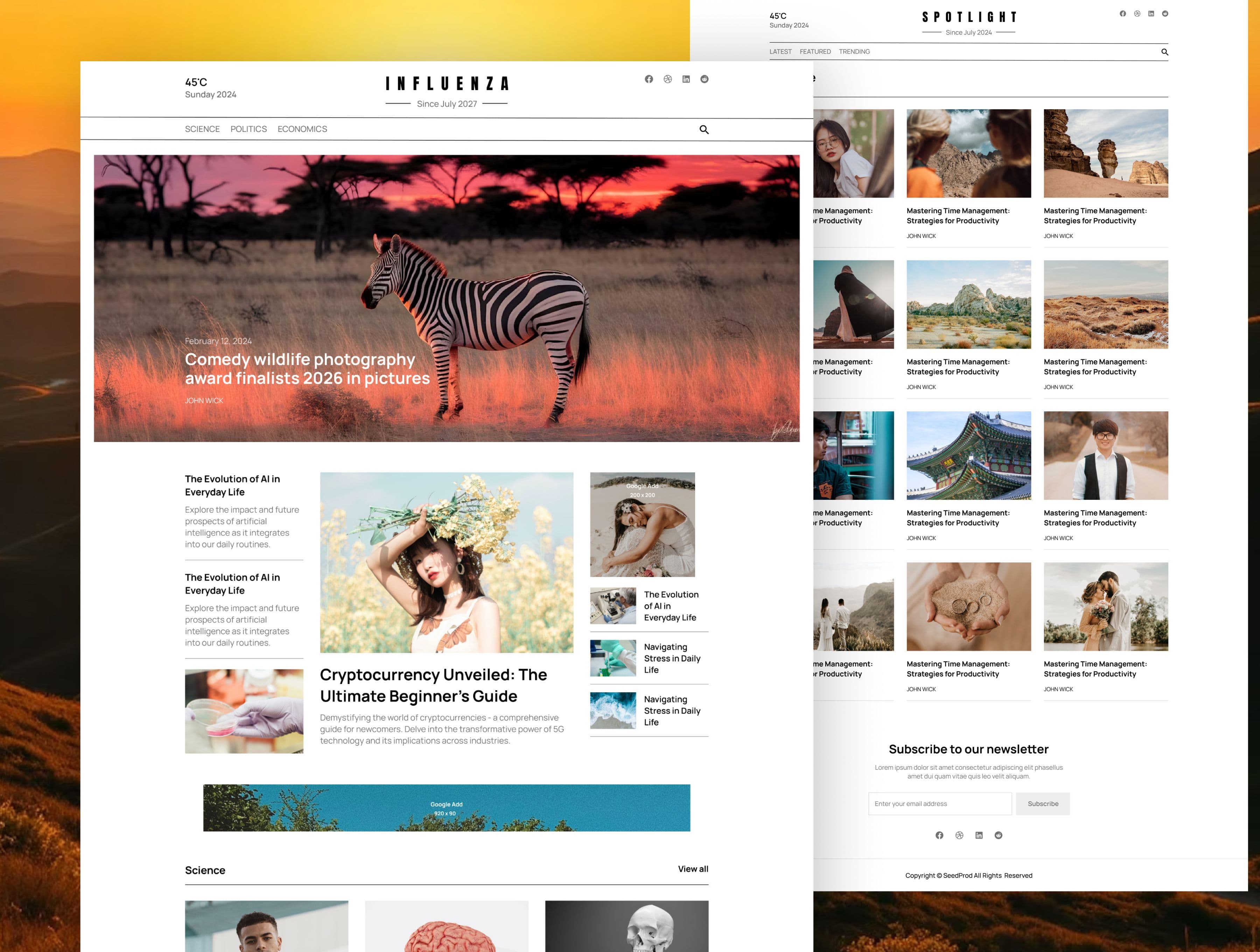
A three-column layout made for news: a lead story with image and excerpt, text-only headlines on one side, and an advert slot with thumbnail stories on the other. Every slot is picked from your posts in the Studio.
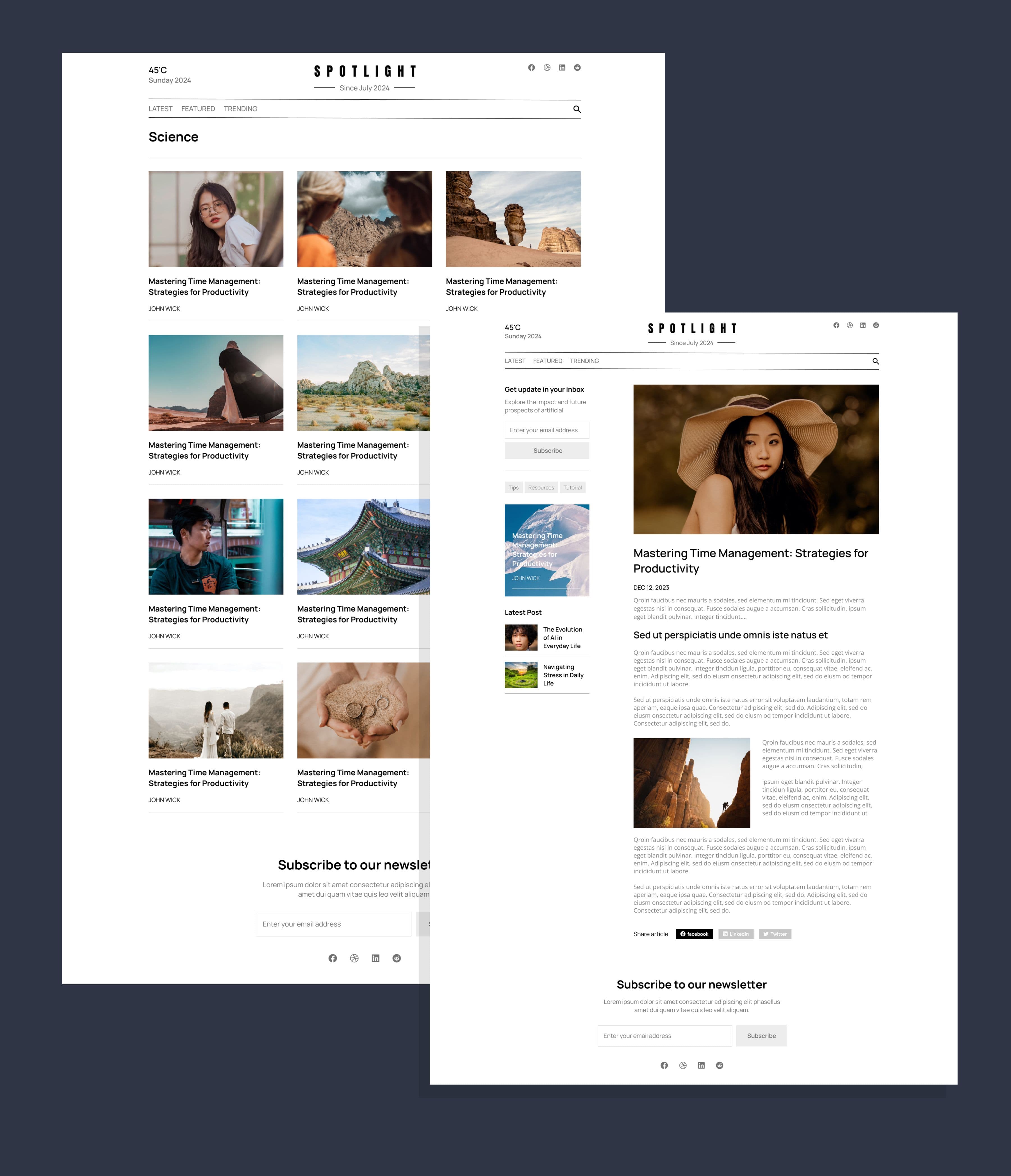
Every category gets its own listing page with a page title, a three-column post grid and numbered pagination. Add a category to the menu in one click and it highlights while visitors browse it.
Long-form layout with a large image or video player, date, intro and rich text. The sidebar shows a newsletter signup, the post's tags, a featured story card and the latest posts. Share buttons for Facebook, LinkedIn and X.
Upload an MP4 or WebM to any post. It plays in the hero slider, gets a play button on cards, and shows a full player on the article page with the image as its poster.
Fifteen written articles across Science, Politics, Economics and Videos, three authors, and every image and video from the demo, imported with `npm run seed`.
Designed for desktop and built mobile-first: columns stack cleanly on phones, the menu scrolls horizontally, and images are cropped around the focal point you set in the Studio.
Server-rendered with Next.js, optimised images, semantic headings, labelled forms and keyboard-friendly navigation. The slider pauses autoplay for visitors who prefer reduced motion.
Includes a `CLAUDE.md` project guide and a `/build-section` command, so AI coding assistants like Claude Code follow the template's conventions when you add new sections from your own Figma designs.
All of our NextJS themes come with the following features:
Live in under 30 minutes
Full documentation included. Step-by-step setup guide from clone to deployed.
Need Help ?Open it in your terminalnpm installcp .env.example .env.localRun npm run build and deploy to your preferred platform
Ready to turn your website into your best salesperson?
Book a free 30-minute strategy call. No pressure, no pitch — just an honest assessment of what's holding your site back.