Introducing Bento: a dark, animated agency website template
Bento is a dark, animated template for creative agencies, with six ready-made pages, a blog, a working contact form and a Sanity page builder.
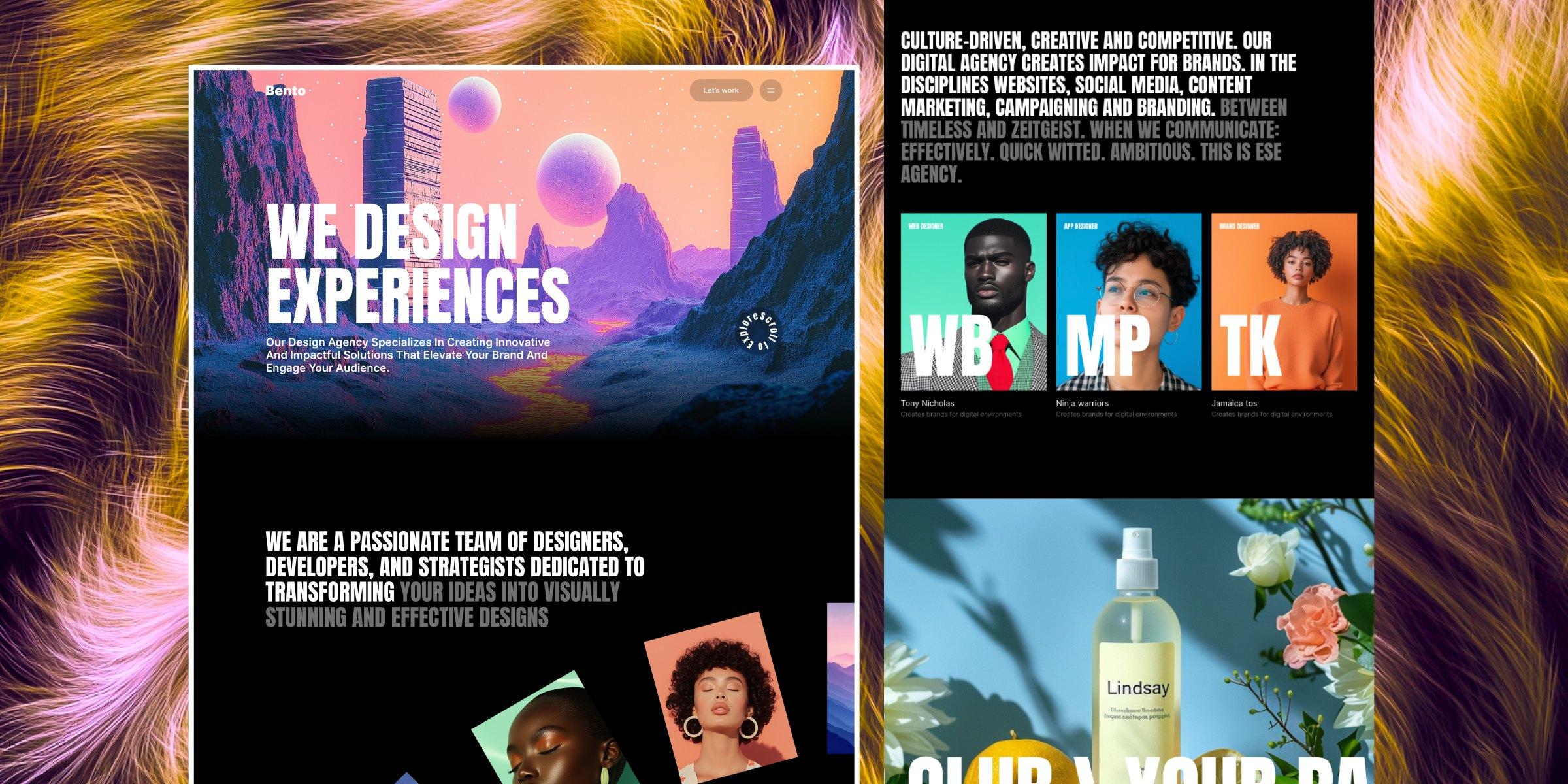
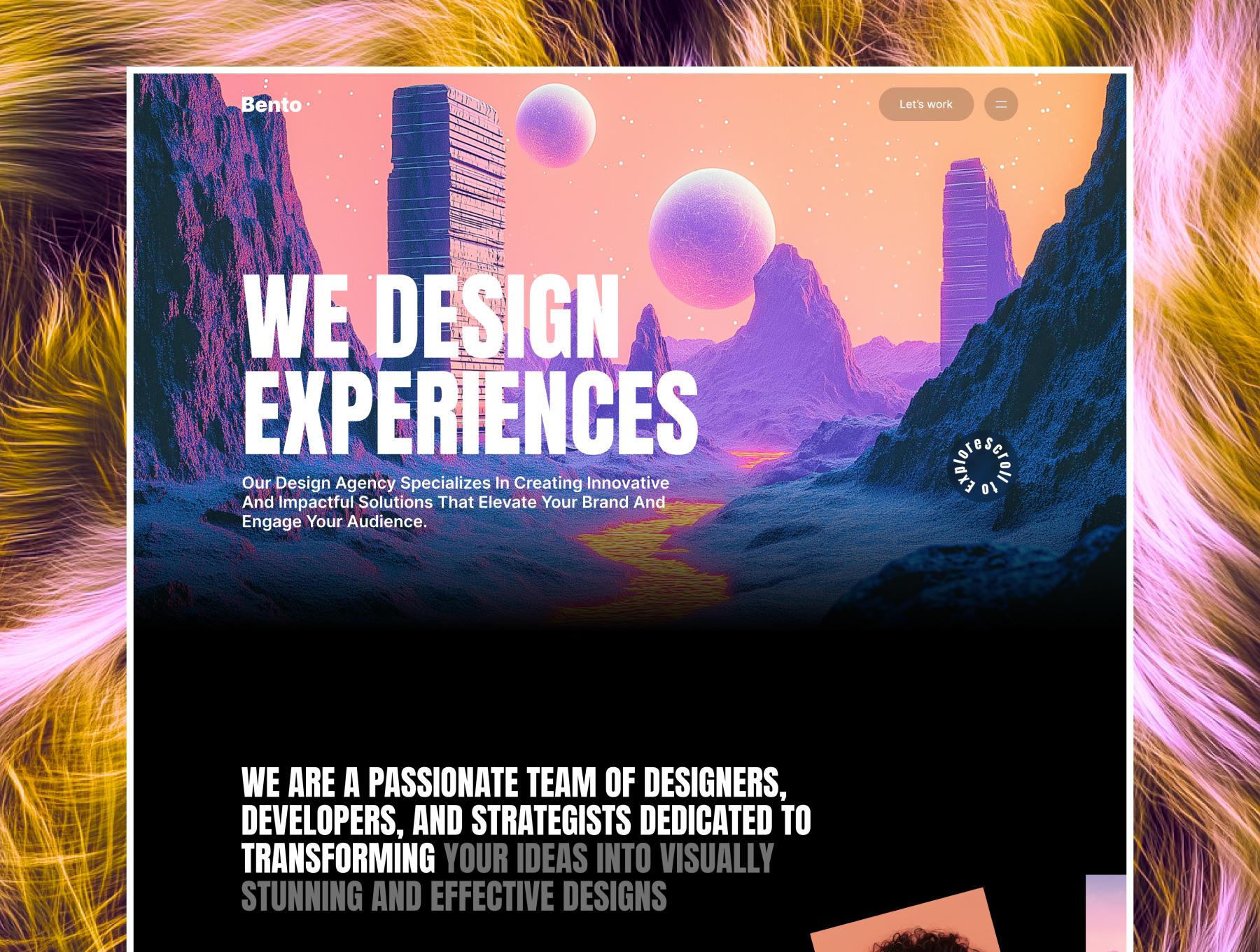
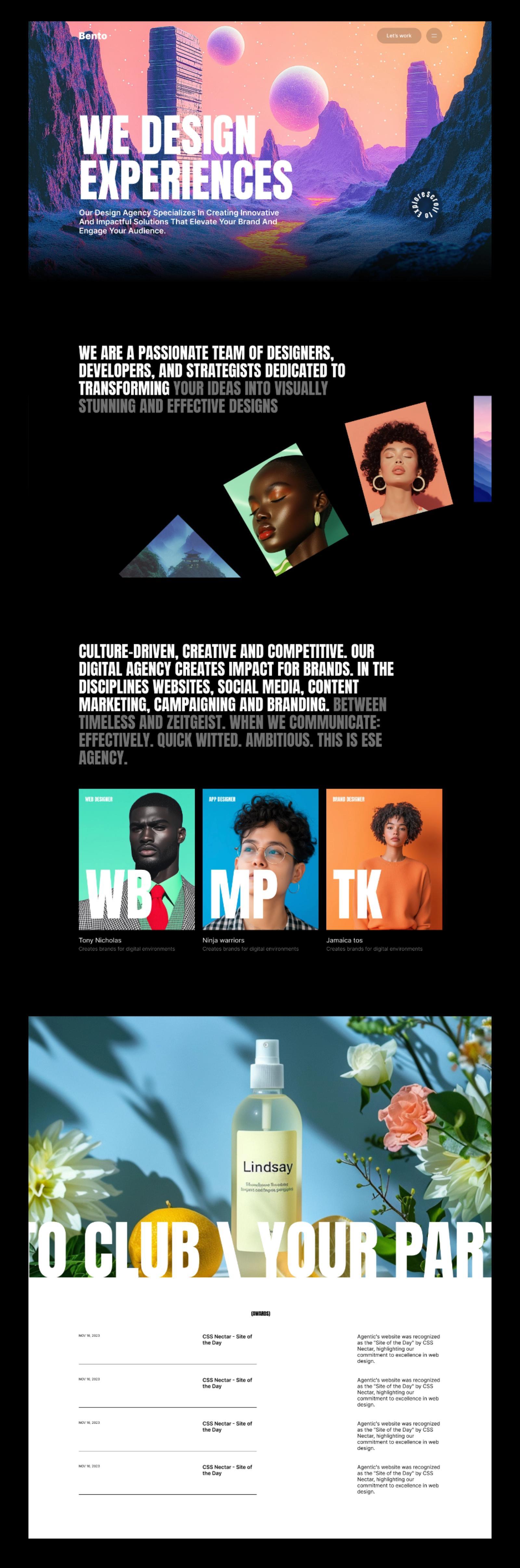
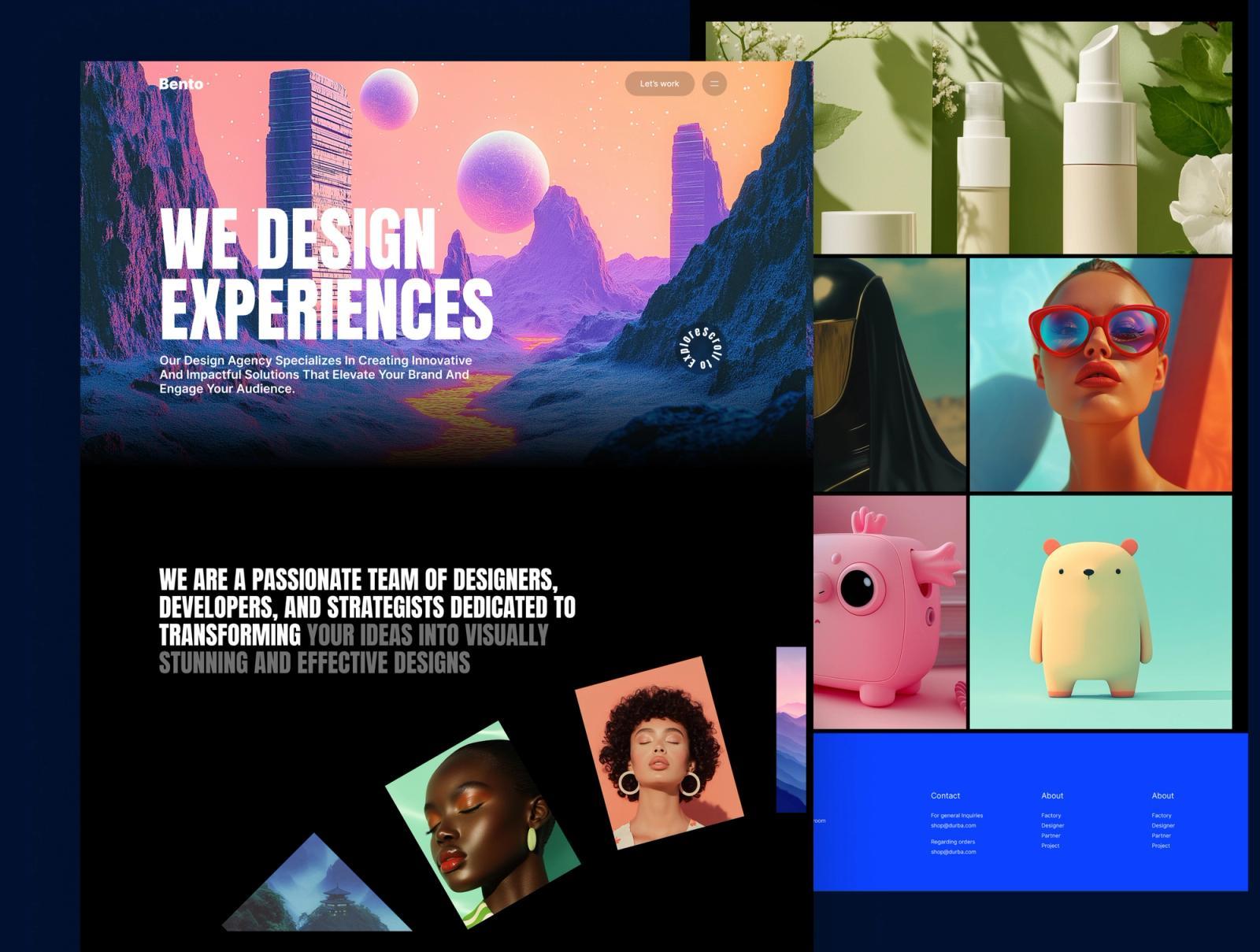
Bento is loud in all the right ways: a dark canvas, vivid imagery and statement headings that light up word by word as you scroll.
It ships with six complete pages (Home, About, Works, Team, Blog and Contact), so you can launch a full agency site in an afternoon.
Here's what's inside, and how it helps you launch faster.
Who Bento is for
Bento is for creative agencies, design collectives and studios that want a bold, animated site that still feels polished.
What's inside Bento
Six ready-made pages
Bento comes with Home, About, Works, Team, Blog and Contact pages, all designed and ready to fill with your content. Each page is built from sections such as heroes, statements, team grids, testimonials, awards and calls to action. Launch a complete agency website in an afternoon instead of designing it from scratch.
Drag-and-drop page builder
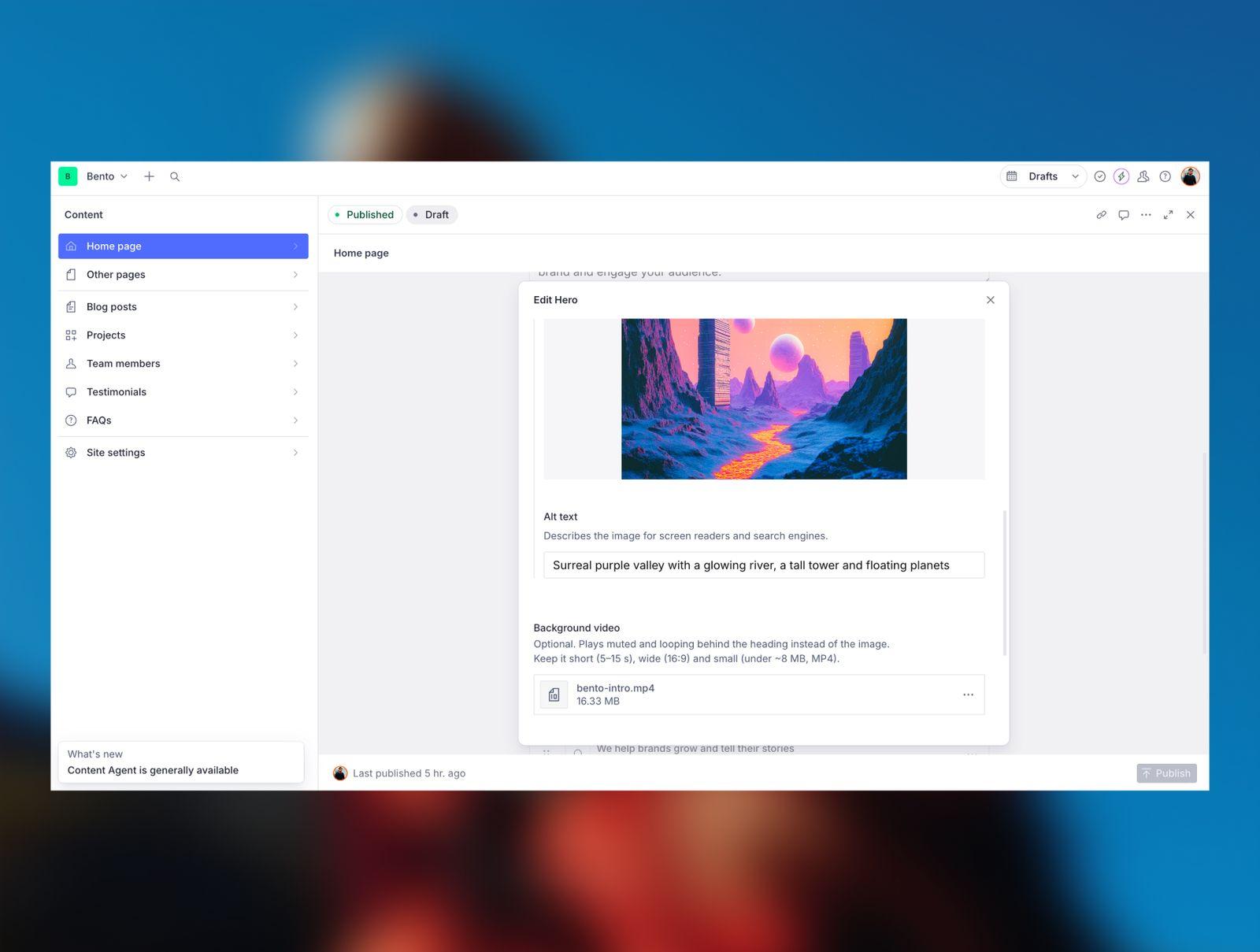
Every page is a list of sections you can add, remove and reorder in Sanity Studio, without touching code. Choose from 13 ready-made sections, and use options such as title sizes, card styles and layouts to get more variety from each one. Each field explains where it appears on the page, so you and your clients always know what you're editing.
Reusable content collections
Blog posts, projects, team members, testimonials and FAQs each have their own list in the Studio. Write an item once and show it on as many pages as you like, in any order. Leave a section's list empty and it automatically shows every item, so new content appears without extra work.
Smooth scrolling and scroll animations
Lenis smooth scrolling, synced with GSAP ScrollTrigger, gives the whole site a fluid, premium feel. Big statement headings light up word by word as you scroll, and photos fan out or slide into place. Every animation follows the visitor's scroll and runs smoothly in both directions.
Animated full-screen menu
The menu opens with a panel that wipes in from the left, followed by links that slide in one after another. Closing plays the animation in reverse, so the whole interaction feels deliberate and polished. It's keyboard-friendly, closes with the Escape key and fits any screen height.
Hero background video
Any hero section can play a short, muted, looping video behind the headline. The background image shows while the video loads, so the page never looks empty. The video only plays while it's on screen, which keeps the page fast and saves your visitors' data.
AI-ready with CLAUDE.md
Comes with a project guide for AI coding assistants like Claude Code, so you can turn your own designs into new editable sections that match the template.
Demo content in one command
Import every demo page, post, project and image into your own Sanity project. The README walks you through installing, connecting Sanity, importing the demo and deploying to Vercel step by step. You'll have a working copy of the live demo running in minutes.
Editing it in Sanity
Everything you see on the Bento demo, from headlines and photos to buttons and page order, lives in Sanity Studio. You change it in plain fields, press Publish, and the site updates. No code and no developer needed. New to Sanity? Read our guide on editing a Sanity website template without code.
Under the hood, Bento is built with Next.js App Router, Sanity v4 Studio, Tailwind CSS and TypeScript.
Get Bento
You can buy Bento on its own, or get it as part of the All-Access membership along with every other RAYSO template. Explore the live demo to click through every page, or see everything included on the Bento template page.