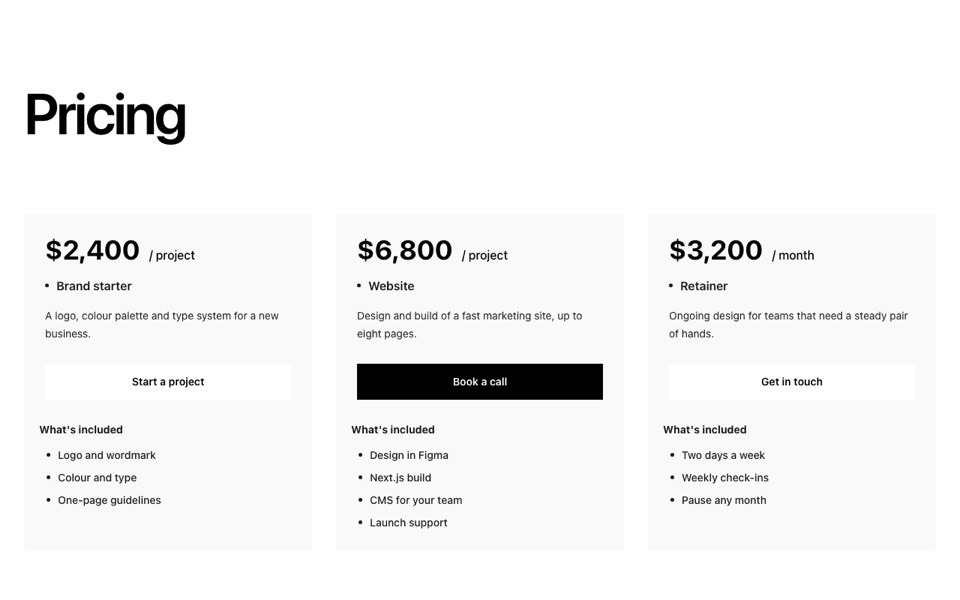
SaaS pricing cards with a big price per period, a strip of highlighted features, a checklist and an arrow button. React and Tailwind CSS.
SaaSPriceTable.tsx
// SaaS price table: plan name, big price per billing period, a grey strip of
// highlighted features, a checklist and a button with an arrow.
// Pure Tailwind, no dependencies. Works with Tailwind v3 and v4.

type Plan = { name: string; price: string; period: string; highlights: string[]; features: string[]; cta: string; href?: string };

type Props = {
  plans?: Plan[];
};

const DEFAULT_PLANS: Plan[] = [
  { name: "Starter", price: "$19", period: "month", highlights: ["Up to 10 people", "5 GB storage"], features: ["Time-off tracking", "Employee directory", "Email support"], cta: "Start free trial" },
  { name: "Growth", price: "$49", period: "month", highlights: ["Up to 100 people", "50 GB storage"], features: ["Everything in Starter", "Payroll integrations", "Performance reviews", "Priority support"], cta: "Start free trial" },
  { name: "Enterprise", price: "$129", period: "month", highlights: ["Unlimited people", "1 TB storage"], features: ["Everything in Growth", "SSO and audit logs", "Dedicated success manager", "Custom contracts"], cta: "Talk to sales" },
];

const Check = () => (
  <svg viewBox="0 0 24 24" fill="none" stroke="currentColor" strokeWidth={2} strokeLinecap="round" strokeLinejoin="round" aria-hidden className="mt-0.5 h-5 w-5 shrink-0 text-black">
    <circle cx="12" cy="12" r="9" />
    <path d="m8 12 3 3 5-6" />
  </svg>
);

const Spark = () => (
  <svg viewBox="0 0 24 24" fill="currentColor" aria-hidden className="h-4 w-4 text-[#DF8600]">
    <path d="M12 2l2.4 7.6L22 12l-7.6 2.4L12 22l-2.4-7.6L2 12l7.6-2.4z" />
  </svg>
);

export default function SaasPriceTable({ plans = DEFAULT_PLANS }: Props) {
  return (
    <section className="bg-[#f4f4f4] px-5 py-24 font-['Inter',ui-sans-serif,system-ui,sans-serif] text-black antialiased md:px-10 md:py-32">
      <div className="mx-auto grid max-w-7xl gap-8 md:grid-cols-[repeat(auto-fill,minmax(320px,1fr))]">
        {plans.map((plan) => (
          <div key={plan.name} className="flex flex-col gap-5 bg-white px-7 py-8 lg:py-12">
            <p className="text-xl font-medium capitalize">{plan.name}</p>
            <p className="flex items-end gap-1.5 text-[clamp(2.5rem,4vw,3.5rem)] leading-[0.8]">
              {plan.price}
              <span className="text-base uppercase">/{plan.period}</span>
            </p>
            <div className="-mx-3 mt-2 flex flex-wrap gap-x-6 gap-y-2.5 rounded-xl bg-[#F6F6F6] p-4">
              {plan.highlights.map((h) => (
                <span key={h} className="flex items-center gap-1.5 text-[#717171]">
                  <Spark />
                  {h}
                </span>
              ))}
            </div>
            <ul className="mt-1 flex flex-col gap-3 text-[#717171]">
              {plan.features.map((f) => (
                <li key={f} className="flex gap-3 capitalize">
                  <Check />
                  {f}
                </li>
              ))}
            </ul>
            <a href={plan.href ?? "#"} className="group mt-auto inline-flex items-center justify-center gap-2 rounded-full bg-black px-6 py-4 text-sm font-medium text-white transition-colors hover:bg-[#DF8600]">
              {plan.cta}
              <span aria-hidden className="transition-transform group-hover:translate-x-1">→</span>
            </a>
          </div>
        ))}
      </div>
    </section>
  );
}
How to use it
- Make sure your Next.js or React project has Tailwind CSS set up (v3 or v4 both work).
- Create
components/SaaSPriceTable.tsxand paste the code. - Import it into a page and replace the sample text and images with your own.